
The Hack Repair Guy’s Smart Embed Plugin
Have you ever wished for a safe, flexible way to embed custom HTML, forms, or widgets anywhere on your WordPress site? The Hack Repair Guy’s Smart Embed plugin makes that possible.
Smart Embed isn’t currently hosted on WordPress.org—it’s a free plugin we created to simplify secure embedding for our clients and friends. Feel free to try it out and see how easy it is to manage your own embeds!

Plugin Description
A powerful and intuitive tool that lets you embed custom HTML or third‑party widgets exactly where you need them on your WordPress site. Smart Embed streamlines the process of managing shortcodes and keeps your embeds reusable, tidy, and safe.
Why did you create this plugin?
I was looking for a safe and simple way to embed HTML or third‑party widgets in my websites without clutter or risk. Smart Embed is all about being safe, speedy, and easy to use.
Why use The Hack Repair Guy’s Smart Embed plugin?
- Reusable embeds with a simple copy‑and‑paste shortcode
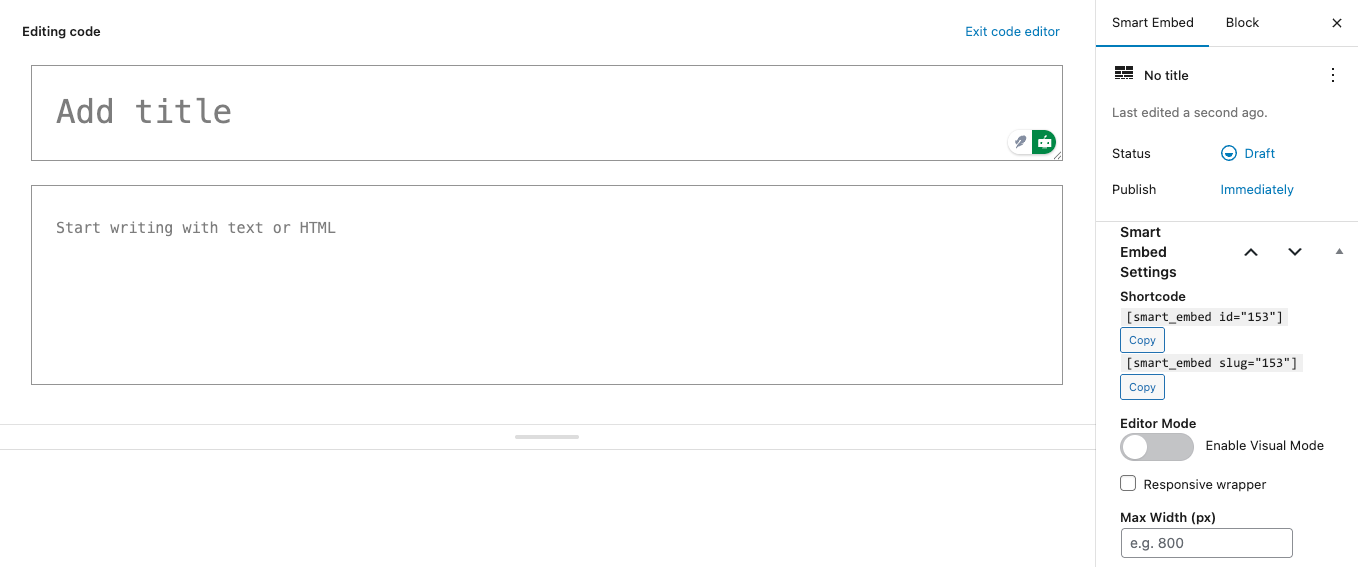
- Responsive wrapper toggle with optional max‑width to keep embeds tidy
- Optional wrapper CSS class for easy layout tweaks
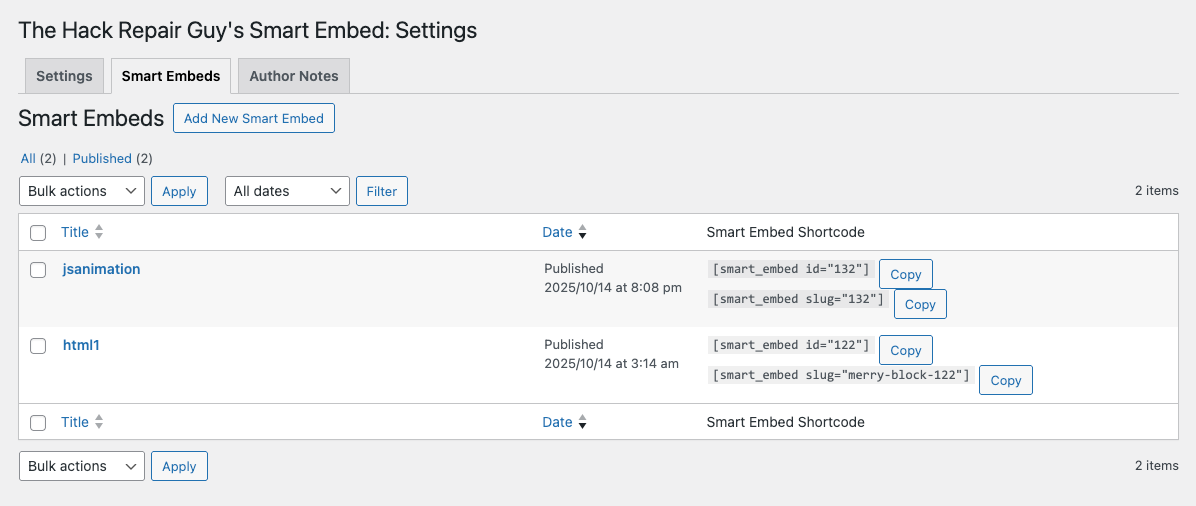
- Copy Shortcode button in the admin list for quick access
- Gutenberg compatible and works with the Classic Editor
- Optional URL embeds: load an external JavaScript by URL (HTTPS only; allowlisted domains set in Settings — defaults include
cdn.jsdelivr.net,cdn.tailwindcss.com,cdnjs.cloudflare.com, andhtml2canvas.hertzen.com) - Canvas helper: insert a canvas placeholder (ID + width/height) with optional full‑width styling for animation scripts
- Built by The Hack Repair Guy and trusted by site owners for security and clarity
BRILLIANT!!! With The Hack Repair Guy’s Smart Embed plugin, you can now embed custom code exactly where your team needs it. It’s just that easy…
Where to find it in WordPress: Smart Embeds → List Smart Embeds (manage and copy shortcodes), Add New Smart Embed (create), and Settings (global options with tabs for Settings | Smart Embeds | Author Notes). From the editor, the top‑left “W” returns to the List Smart Embeds view.
Installation
The quickest method for installing The Hack Repair Guy’s Smart Embed plugin is:
- Download the latest Smart Embed plugin from our repository.
- Go to your WordPress Dashboard and select Plugins → Add New.
- Upload the plugin ZIP file and click Install.
- Activate the plugin.
If you would prefer to manually install The Hack Repair Guy’s Smart Embed plugin, follow these instructions:
- Upload the
hackrepair-smart-embedfolder to the/wp-content/plugins/directory. - Extract the .zip file.
- Activate the plugin through the Plugins menu in WordPress.
Support and Updates
If you want to receive notifications about updates or leave feedback on the plugin, subscribe to the official support thread.
Frequently Asked Questions
How do I customize the appearance of my embeds?
Use the Responsive wrapper toggle and optional Max Width setting in the Smart Embed editor. You can also add your own CSS class to the wrapper for precise styling.
What’s the difference between embedding by ID and slug?
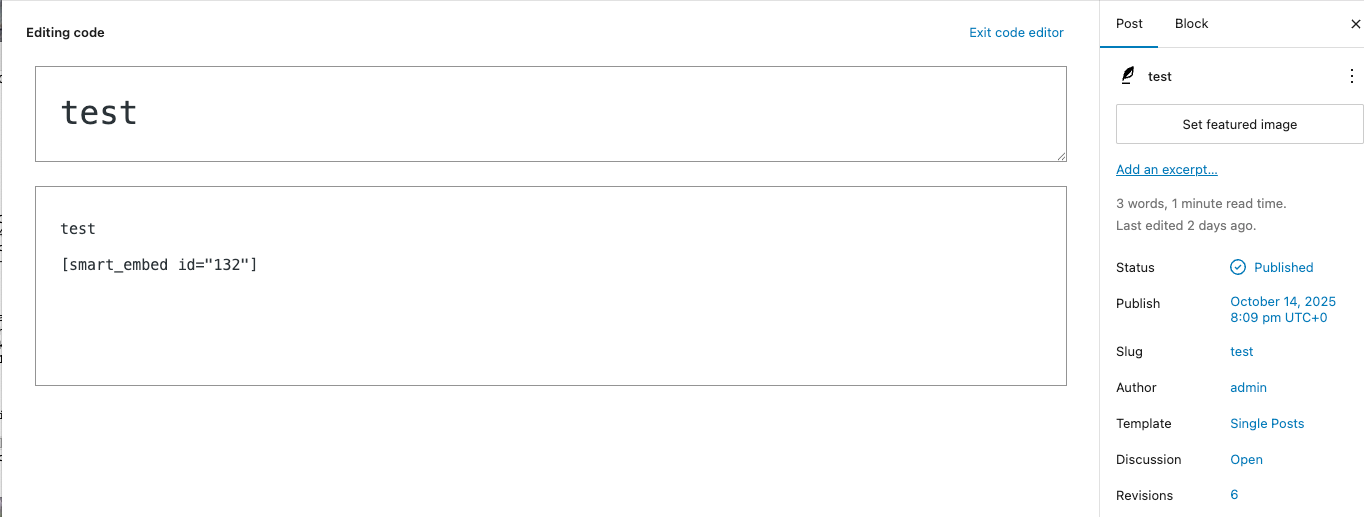
Embedding by ID (e.g., [smart_embed id="123"]) references the unique post ID, while embedding by slug (e.g., [smart_embed slug="my-embed"]) uses a human‑friendly slug you assign. Both work the same; choose whichever is easier to remember.
Can I edit multiple Smart Embeds at once?
Not yet. The native Bulk Edit only updates core fields (e.g., status). Smart Embed options (responsive wrapper, max‑width, wrapper class, External Script URL) are edited per‑embed.
My external script isn’t loading.
Turn on “Enable URL embeds” in Settings, and add the script’s host to the allowlist (HTTPS only). Defaults include cdn.jsdelivr.net, cdn.tailwindcss.com, cdnjs.cloudflare.com, and html2canvas.hertzen.com. The external file should contain JavaScript only (no <script> tags).
My embed is not showing anywhere.
Double‑check that you have published your Smart Embed and that you’re using the correct shortcode in a location where WordPress processes shortcodes (posts, pages, or compatible widgets).
How does the Wrapper CSS class work and how do I use it?
The wrapper adds a custom CSS class around your embed so you can target it with your own styles.
Enable “Responsive wrapper” in the Smart Embed editor, enter a class name (e.g., my-embed),
then style it in your CSS—like setting max width, padding, or background to fit your design.
Is this plugin compatible with the latest version of WordPress?
Yes, we regularly update the plugin to ensure compatibility with the latest WordPress version.
Leave a Reply