The Hack Repair Guy’s Post Update Email Notifier
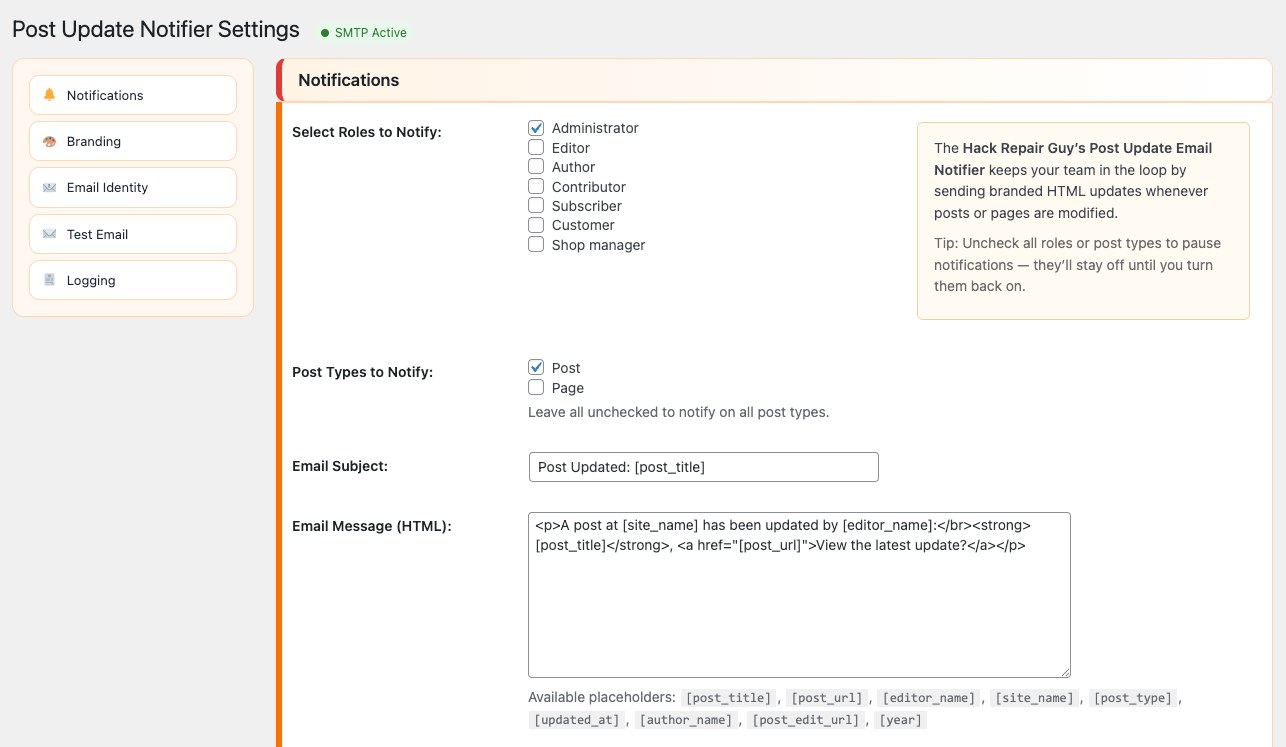
Want a simple way to keep your team or clients in the loop when content changes? The Hack Repair Guy’s Post Update Email Notifier sends branded HTML emails to selected roles whenever posts or pages are updated.
WordPress doesn’t email on content updates by default. This plugin fills that gap with a clean, configurable, and privacy‑friendly approach.
Plugin Description
Send branded HTML emails to selected roles whenever a published post or page is updated. You can choose who receives alerts, customise the subject and message templates, and set your own From/Reply‑To addresses. A Test Email preview runs over AJAX to show success or failure inline. Recent versions also add a per‑post “Don’t send” checkbox to skip the next notification on a specific post, a Reset to Defaults action to restore all plugin settings, and a bulk test feature to send multiple previews at once. Optional logging with CSV export records every send (including when a notification is intentionally skipped) and the plugin displays a guidance notice after repeated mail failures. Works great with SMTP plugins for improved deliverability.
Why did you create this plugin?
Teams and clients need “change visibility” without logging into WordPress. This plugin makes update notifications reliable, readable and configurable — no bloat, just the essentials.
Why use The Hack Repair Guy’s Post Update Email Notifier?
- Branded HTML emails: customise the header text, colour and footer; branding fields support placeholders such as
[year] - Role‑based notifications: choose which roles receive update alerts
- Post‑type filter: limit notifications to specific post types
- Exclude updater: optionally skip the person who made the change
- Per‑post “Don’t send” checkbox: skip the next notification on a specific post; the flag clears itself automatically
- Email Identity: custom From Name/Email + Reply‑To (works seamlessly with SMTP plugins)
- Placeholders:
[post_title],[post_url],[editor_name],[site_name],[post_type],[updated_at],[author_name],[post_edit_url],[year] - Optional logging: recent email log (50/200/1000), CSV export and clear log; logs record success, failure and “Not sent” when updates are intentionally skipped
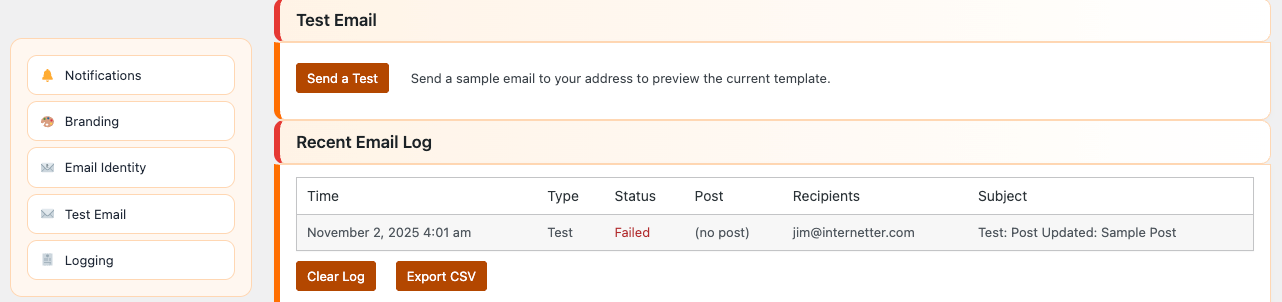
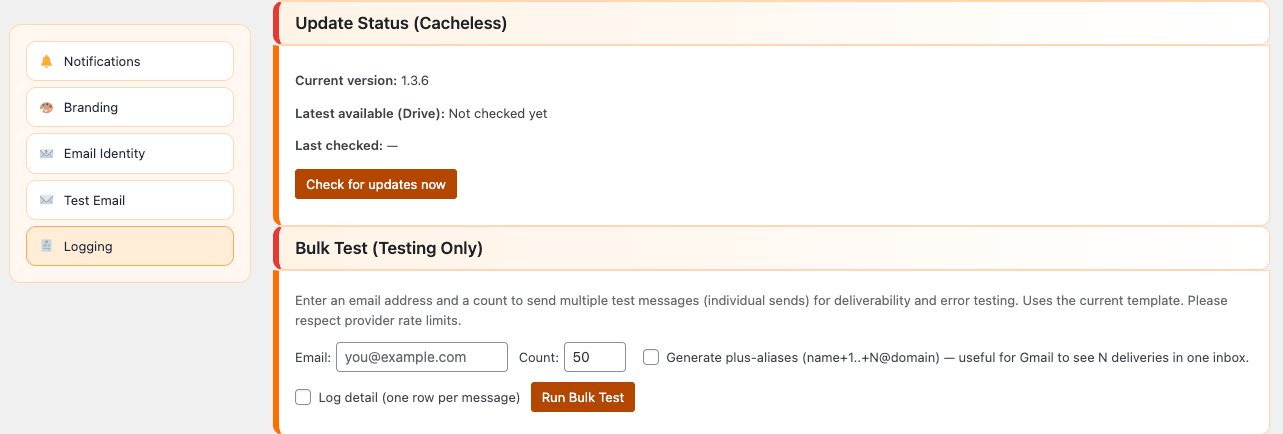
- Test Email & Bulk Test: one‑click preview via AJAX shows success/failure inline; an optional bulk test mode sends multiple preview messages (using plus‑aliases) to help test deliverability
- Update Status (Cacheless) & Reset: on‑demand check for new versions and a single click to restore default settings
- Developer hooks: customise recipients, subject, HTML, headers and placeholders
- SMTP guidance: shows an “SMTP Active” status chip and, after repeated failures, provides tips for configuring an SMTP plugin
BRILLIANT!!! With Post Update Email Notifier, your team stays informed — no extra workflows or logins required.
Where to find it in WordPress: Settings → Post Update Notifier with sections for Notifications, Branding, Email Identity, Test Email, Logging, Bulk Test, and Update Status/Reset.
Installation
The quickest method for installing Post Update Email Notifier is:
- Download the latest plugin from our repository.
- Go to your WordPress Dashboard and select Plugins → Add New.
- Upload the plugin ZIP file and click Install.
- Activate the plugin.
If you prefer to install manually:
- Upload the
hackrepair-post-update-email-notifierfolder to/wp-content/plugins/ - Extract the .zip file (if needed)
- Activate the plugin through the Plugins menu
Support and Updates
Have a question or a feature request? Join the support thread on Reddit. I’ll post updates and handle Q&A there.
Frequently Asked Questions
Can I pause notifications?
Yes. Uncheck all roles or post types to pause notifications; they’ll stay off until you turn them back on.
Does this work with custom post types?
Yes. Leave “Post Types to Notify” empty to notify on all types, or check specific types to limit.
How do I improve deliverability?
Use a domain‑aligned From Email and an SMTP plugin (e.g., WP Mail SMTP). This reduces spam/junk placement.
Where do I manage email identity?
Settings → Email Identity: From Name (supports placeholders), From Email, and Reply‑To.
What placeholders are available?[post_title], [post_url], [editor_name], [site_name], [post_type], [updated_at], [author_name], [post_edit_url], [year].
Can I export logs?
Yes. Enable Logging in Settings, then use CSV export in the Recent Email Log section.
Requirements
WordPress 6.6+ and PHP 7.4+.
 Have you ever noticed how quiet WordPress can be?